Templates
PDF templates you design once and reuse everywhere.
A template is an HTML and CSS layout with placeholders. Send it with your data to the API, or save it in your SublimePDF workspace so your code or agent sends only its ID and the data. Change a saved layout in the app and every future PDF follows.
Workflow
From layout to thousands of documents
Templates separate what a document looks like from what it says. That separation is what makes generation safe to automate.
01
Create
Start from a starter template or paste your own HTML and CSS. Add placeholders where values belong and preview with sample JSON.02
Save
Save the template to your workspace. It gets an ID you can use from any environment, and it appears in GET /templates.03
Generate
Call POST /templates/{id}/generate with data. The layout stays fixed; only the values change from one PDF to the next. You can still send any HTML to POST /html-to-pdf.
Two equal options
Send the HTML, or save it and send the ID
The same layout and the same data give the same PDF either way. Saving a template is optional; choose by who owns the layout.
- HTML with data
- POST /html-to-pdf
- The layout lives in your repository and ships with your code. Good when developers own the design, want it reviewed with other changes, or generate one-off documents.
- Saved template ID with data
- POST /templates/{id}/generate
- The layout lives in your workspace and your code sends only data. Good when several services or agents share a layout, or when people should change it without a deploy.
Placeholders
Familiar syntax for fields, lists and optional blocks.
Templates use Handlebars-style placeholders. Values are HTML-escaped by default, which matters when the data comes from users or from a language model.
- Fields
- {{customer.name}} reads nested values from your JSON.
- Lists
- {{#each items}} repeats a row for every line item.
- Conditionals
- {{#if notes}} hides blocks when a value is missing.
- Formatting in your code
- Send dates and amounts already formatted, so the PDF matches your system.
template.html
<h1>Invoice {{invoice.number}}</h1>
<p>Billed to {{customer.name}}</p>

{{#each items}}
  <tr><td>{{description}}</td><td>{{amount}}</td></tr>
{{/each}}

{{#if notes}}<p class="notes">{{notes}}</p>{{/if}}
Starter templates
Start from a working layout
Each starter comes with its HTML source, sample data and the PDF it produces. Send it to the API as it is, save it as the base for your own, or use it as a test fixture.
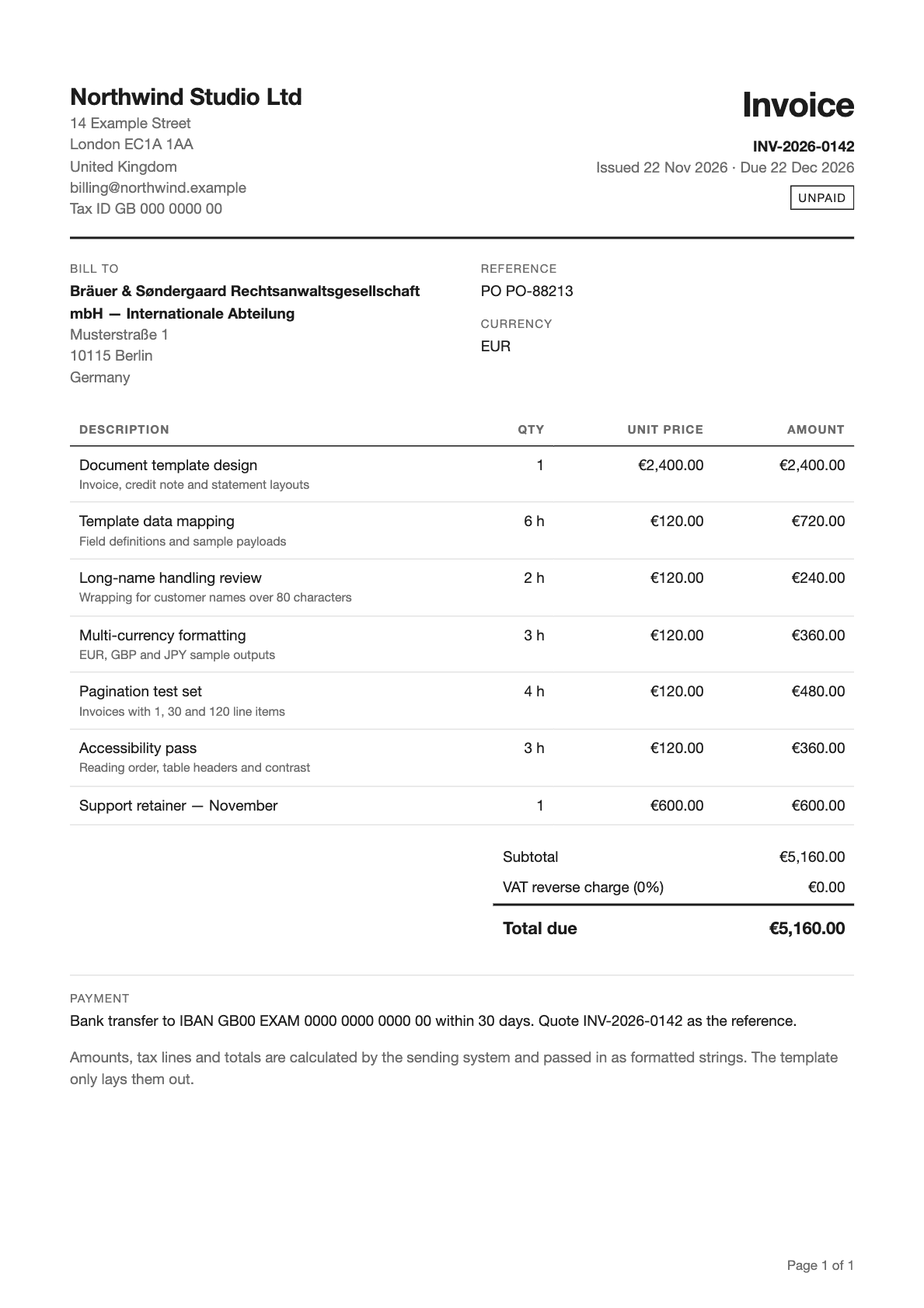
A4 · 1–4 pages in samples
Invoice
Seller and customer blocks, line items with optional detail, tax lines, totals and payment instructions.
Fields, files and sample PDF
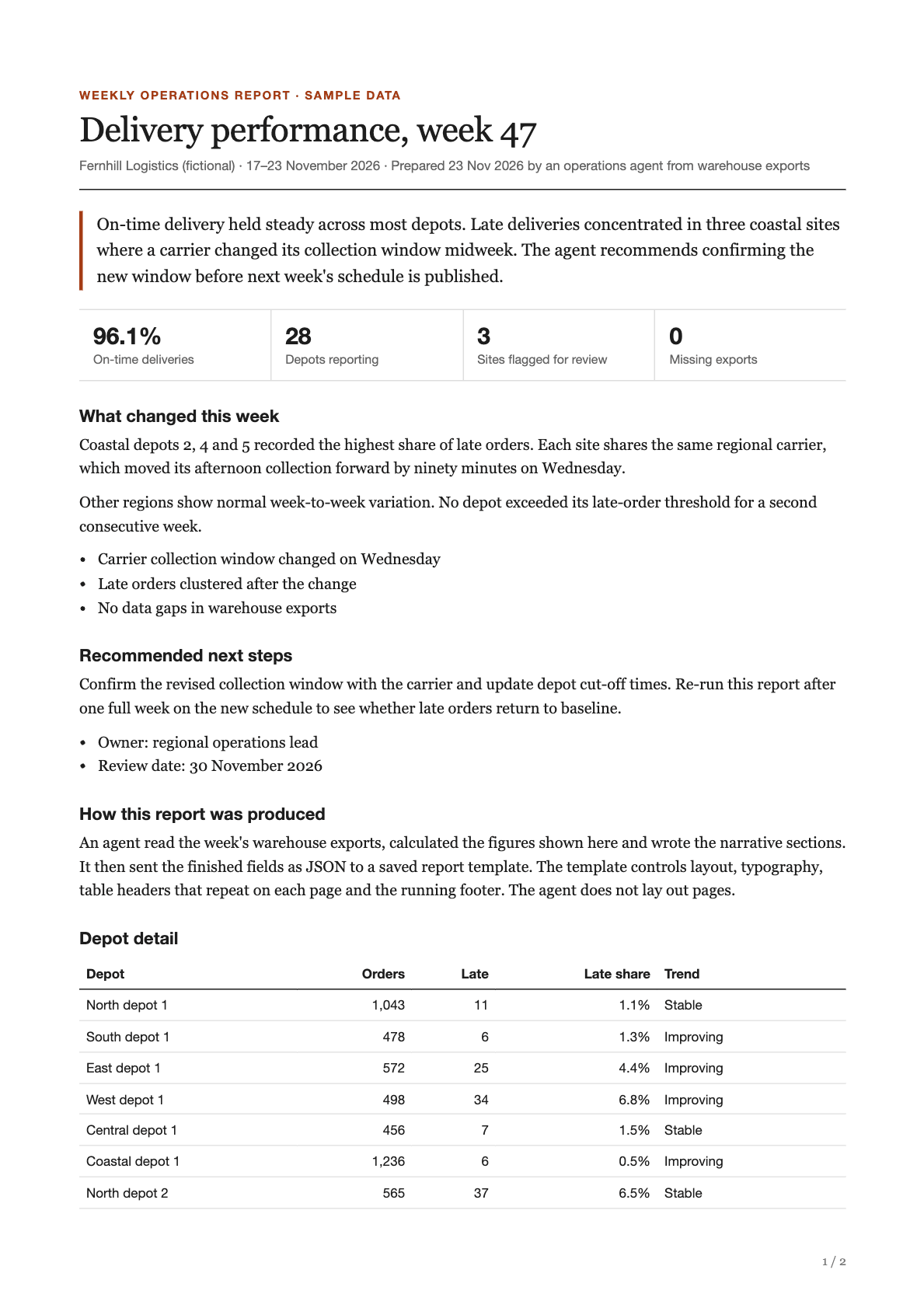
A4 · 2 pages in sample
Report
Summary, key figures, narrative sections and a detail table, with page numbers in the footer.
Fields, files and sample PDF
Good templates
Designing templates that automation can trust
A few habits make the difference between a template that works for the sample and one that works for every record.
- Test the extremes
- Render with the longest name, the most line items and every optional field missing before you rely on a template.
- Keep logic out
- Calculate totals, taxes and dates in your code. Templates should only place values.
- Write down the contract
- List every field, its type and whether it is required. Validate payloads against it before calling the API.
- Plan for pages
- Use @page rules, repeating table headers and break-inside: avoid so long documents paginate cleanly.
- Host assets
- Reference logos and fonts by URL instead of inlining large base64 blobs into every request.
- Give agents a schema
- Describe the template's fields in the tool definition so a model knows exactly what to supply.
Learn more
Guides and use cases
Guide
Template variables
Binding JSON to placeholders, loops, conditionals and escaping.
Guide
Print CSS for PDFs
Page size, margins and clean page breaks.
Guide
Headers, footers and page numbers
Running page furniture for multi-page documents.
Tutorial
Generate PDFs from HTML templates and JSON
End-to-end tutorial.
Product
HTML to PDF API
Send any HTML, with or without data, and get a PDF back.
Use case
Invoice PDF API
An invoice PDF for every order, renewal or credit note.
Use case
PDF reports from apps and agents
Scheduled, customer and agent-written reports.
Docs
Agent quickstart
Give any function-calling agent a generate_pdf tool.
Save your first template.
Create an account, open the template editor and start from the invoice or report layout.