HTML to PDF API
Turn HTML into PDFs with one API call.
Send your own markup and get a PDF back, or save the layout as a reusable template in the app and send only JSON data. Either way you control page size, margins, headers, footers and print CSS.
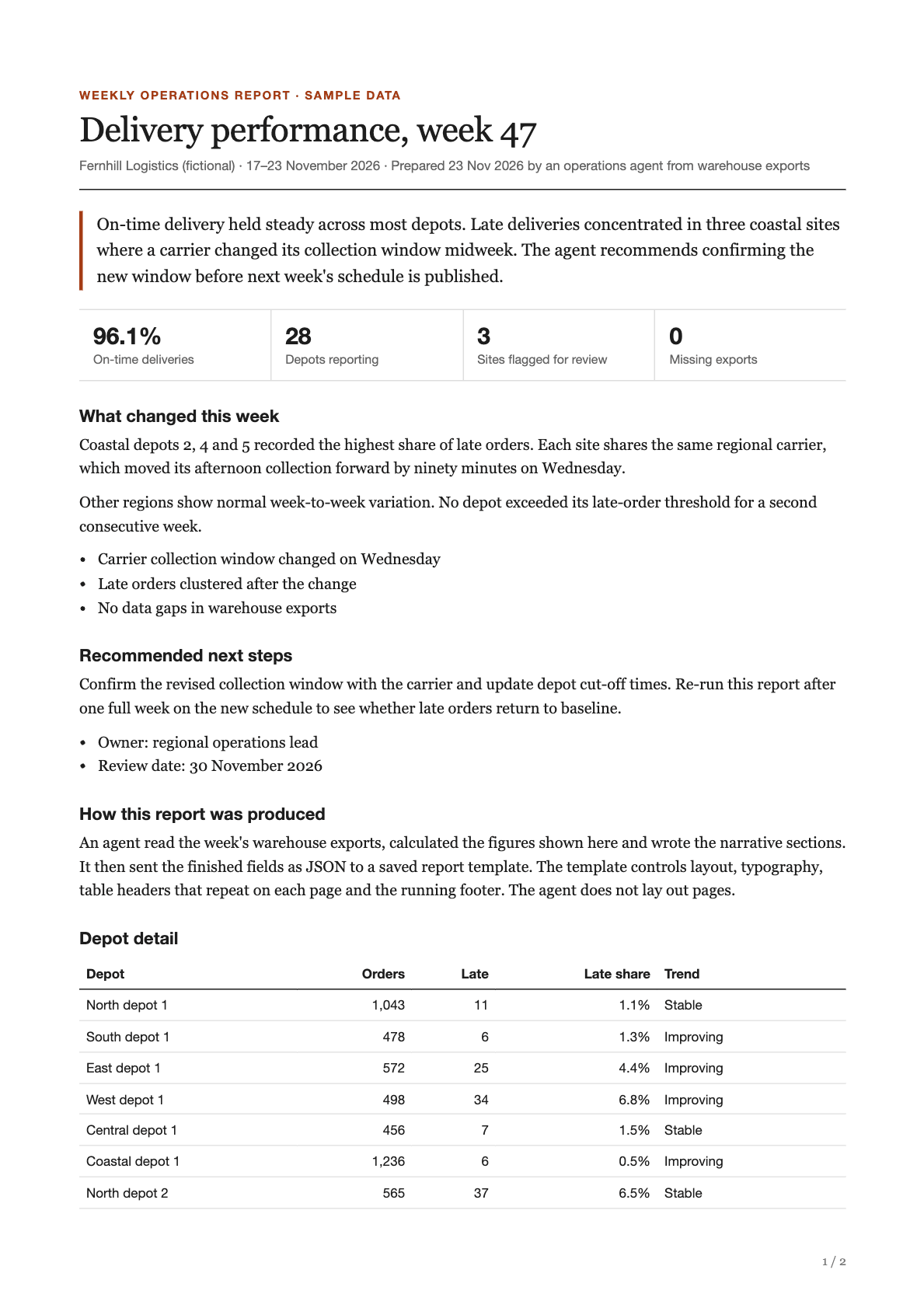
Two ways in
Send markup, or send data to a saved template.
Both return the PDF in the response body and accept the same render options. Choose by who owns the layout and how often it changes.
HTML directly
Post HTML, optionally with data for placeholders. Nothing to set up first, and the layout lives in your code with the rest of your application. Good when you already render markup or the layout varies per document. The examples use the sample template.html and data.json.
curl -X POST https://api.sublimepdf.com/v1/html-to-pdf \
  -H "Authorization: Bearer $SUBLIMEPDF_API_KEY" \
  -H "Content-Type: application/json" \
  -d "$(jq -n --rawfile html template.html --slurpfile data data.json \
        '{ html: $html, data: $data[0], options: { format: "A4" } }')" \
  --output invoice.pdf
import { readFile, writeFile } from "node:fs/promises";
const html = await readFile("template.html", "utf8");
const data = JSON.parse(await readFile("data.json", "utf8"));
const res = await fetch("https://api.sublimepdf.com/v1/html-to-pdf", {
method: "POST",
headers: {
Authorization: `Bearer ${process.env.SUBLIMEPDF_API_KEY}`,
"Content-Type": "application/json",
},
body: JSON.stringify({
html,
data, // optional: fills {{placeholders}} in the HTML
options: { format: "A4", printBackground: true },
}),
});
if (!res.ok) throw new Error(`SublimePDF ${res.status}: ${await res.text()}`);
await writeFile("invoice.pdf", Buffer.from(await res.arrayBuffer()));Template ID and JSON
Save the layout in the app once and reference it by ID. Your code, or an agent, sends only the fields, and layout changes ship without a deploy. It needs a saved template first; the ID is read from SUBLIMEPDF_TEMPLATE_ID.
curl -X POST https://api.sublimepdf.com/v1/templates/$SUBLIMEPDF_TEMPLATE_ID/generate \
  -H "Authorization: Bearer $SUBLIMEPDF_API_KEY" \
  -H "Content-Type: application/json" \
  -d "$(jq -n --slurpfile data data.json '{ data: $data[0] }')" \
  --output invoice.pdf
import { readFile, writeFile } from "node:fs/promises";
const templateId = process.env.SUBLIMEPDF_TEMPLATE_ID; // ID of the template saved in the app
const data = JSON.parse(await readFile("data.json", "utf8"));
const res = await fetch(`https://api.sublimepdf.com/v1/templates/${templateId}/generate`, {
method: "POST",
headers: {
Authorization: `Bearer ${process.env.SUBLIMEPDF_API_KEY}`,
"Content-Type": "application/json",
},
body: JSON.stringify({ data, options: { format: "A4" } }),
});
if (!res.ok) throw new Error(`SublimePDF ${res.status}: ${await res.text()}`);
await writeFile("invoice.pdf", Buffer.from(await res.arrayBuffer()));See the template workflow and the placeholder syntax.
Where it runs
From your application, or from your own scheduled jobs.
SublimePDF renders a document when you call it. Your code decides when that happens: a user action, an event, or a job you schedule.
Inside your application
- Behind a download button
- Your backend route builds the HTML or picks the template, calls the API and streams the PDF to the user or stores it first.
- After an event
- An order, a signed contract or a closed month triggers a job that renders the document and attaches it to an email or record.
- Any language
- It is HTTPS and JSON with a bearer key, so any server runtime with an HTTP client works. No SDK is required.
- Keys stay on the server
- Call the API from code you control, never from browser JavaScript or a mobile app, and use separate keys per environment.
Key handling is covered in the authentication guide; agents call the same endpoints through a tool, as shown in the agent quickstart.
Scheduled and batch generation
SublimePDF does not run schedules for you. Monthly statements, nightly reports or a backlog of invoices run from a scheduler you already have, such as cron, a queue worker or a CI or workflow job, which calls the API once per document. Send an Idempotency-Key derived from your record so retries do not create duplicates, wait for Retry-After on a 429, and check GET /usage against your plan before large runs.
// generate-invoices.mjs: one PDF per data file. Usage: node generate-invoices.mjs data.json data-long.json
import { readFile, writeFile } from "node:fs/promises";

const html = await readFile("template.html", "utf8");

for (const file of process.argv.slice(2)) {
  const data = JSON.parse(await readFile(file, "utf8"));
  const number = data.invoice.number;

  for (let attempt = 1; ; attempt++) {
    const res = await fetch("https://api.sublimepdf.com/v1/html-to-pdf", {
      method: "POST",
      headers: {
        Authorization: `Bearer ${process.env.SUBLIMEPDF_API_KEY}`,
        "Content-Type": "application/json",
        "Idempotency-Key": `invoice-${number}`, // same key for every retry of this document
      },
      body: JSON.stringify({ html, data }),
    });
    if (res.ok) {
      await writeFile(`${number}.pdf`, Buffer.from(await res.arrayBuffer()));
      console.log(`${number}.pdf`);
      break;
    }
    const retryable = res.status === 429 || res.status >= 500;
    if (!retryable || attempt === 4) throw new Error(`${file}: SublimePDF ${res.status}: ${await res.text()}`);
    const waitSeconds = Number(res.headers.get("retry-after")) || 2 ** attempt;
    await new Promise((resolve) => setTimeout(resolve, waitSeconds * 1000));
  }
}
# crontab: 06:00 on the 1st of every month.
# /srv/billing/env contains: export SUBLIMEPDF_API_KEY=YOUR_API_KEY
0 6 1 * * cd /srv/billing && . ./env && node generate-invoices.mjs data/*.json >> generate.log 2>&1The script runs as written with the sample data.json and data-long.json. Retry rules are explained in the error handling guide.
Control
Render options
Set options per request. CSS in your document, such as @page size and margins, takes precedence where it applies.
| Option | Default | What it does |
|---|---|---|
| options.format | "A4" | Paper size: A4, Letter, Legal, A3, A5 or Tabloid (case-insensitive). A CSS @page size in the document wins while preferCSSPageSize is true. |
| options.landscape | false | Landscape orientation. |
| options.margin | 0 | Page margins per side (top, right, bottom, left) as a number of pixels or a length in px, in, cm or mm, up to 10in each, e.g. { top: "20mm", bottom: "20mm" }. |
| options.printBackground | true | Render background colours and images. |
| options.scale | 1 | Scale factor between 0.1 and 2. |
| options.headerTemplate | — | HTML for a repeated page header, up to 64 KB. Chromium print classes: date, title, url, pageNumber, totalPages. |
| options.footerTemplate | — | HTML for a repeated page footer, up to 64 KB, e.g. <span class="pageNumber"></span>. |
| options.waitFor | — | A CSS selector (up to 200 characters) or a number of milliseconds (0 to 10000) to wait before printing. |
| options.preferCSSPageSize | true | Use the document's CSS @page size when it declares one; otherwise format applies. |
| webhook_url | — | Optional public https URL. When present the render runs asynchronously: the response is 202 with a job, and a signed job.succeeded or job.failed event is sent to this URL. |
Production
Built for documents that have to be right.
- Idempotent retries
- Send an Idempotency-Key and retry timeouts or 5xx responses without generating duplicates.
- Webhooks for long jobs
- Pass webhook_url to be notified at your HTTPS endpoint when an asynchronous render finishes.
- URL to PDF
- Render a public page server-side with POST /url-to-pdf when the content already lives on the web.
- Merge, split, compress
- Post-process generated files with the same key, for example to merge a cover letter and an invoice.
- Explicit errors
- Validation problems return 4xx responses that name what to fix. Rate limits return 429 with Retry-After.
- Usage endpoint
- Read the current period's usage with GET /usage to alert before you reach your plan's allowance.
Evaluating
How to evaluate any HTML to PDF API
Run the same difficult documents through every option you are considering. These are the cases that separate a demo from production.
- Long tables
- Does the header row repeat and do rows avoid splitting across pages? Try the 60-line invoice sample.
- Fonts and scripts
- Do web fonts load before rendering, and do accented, CJK or right-to-left names render correctly?
- Page furniture
- Can you add page numbers, running headers and a different first page without hacks?
- Backgrounds and colour
- Are background colours and images printed, and do brand colours survive?
- Failure behaviour
- Are errors explicit and are retries safe, so a timeout does not create a duplicate invoice?
- Reuse
- Can non-developers adjust a layout without a deploy, while your code only sends data?
The sample 60-line invoice data and report template are free to download and use as test fixtures with any renderer.
Go further
Decide, then build.
Decision guide
Self-hosted HTML to PDF vs an API
What running headless Chrome yourself really involves.
Research
HTML to PDF rendering benchmark
Measured local results with published fixtures and method.
Comparison
SublimePDF vs PDFShift
How a template workflow differs from a conversion service.
Tutorial
Generate PDFs from templates and JSON
End-to-end tutorial from API key to saved file.
Docs
Agent quickstart
Give any function-calling agent a generate_pdf tool.
Guide
Webhooks guide
Receive notifications for asynchronous renders.
Render your first HTML to PDF.
Create an account, copy an API key and post your HTML. Save a template in the app when you want others to change the layout without a deploy.