PDF generation API
PDF generation API for your apps and AI agents.
Send HTML, or a template ID and JSON data, in one API call and get a finished PDF back: invoices, reports, statements and more. Save reusable templates in the app for documents you generate again and again.
Works from any language that can make an HTTPS request, and from any agent that can call a function. MCP is optional.
POST /html-to-pdf
{
  "html": "<!doctype html>…",
  "data": { "items": […], … }
}
or POST /templates/{id}/generate
{ "data": { "items": […], … } }200 OK · application/pdf
How it works
Send HTML or a template. Get a PDF back.
Call the API with your own HTML, or with the ID of a template saved in the app plus JSON data. Either way the response is the finished PDF.
01
Create an API key
Create an account and generate a key under Settings → API keys. Keep it on your server or in your agent's tool executor, never in a browser or a prompt.02
Send HTML, or a template ID and JSON
03
Get the PDF back
The response is the PDF itself, ready to store, email or hand back to a user or an agent. Your code or agent supplies the values; the layout stays the same every time.
One request
HTML or JSON in, a finished PDF out.
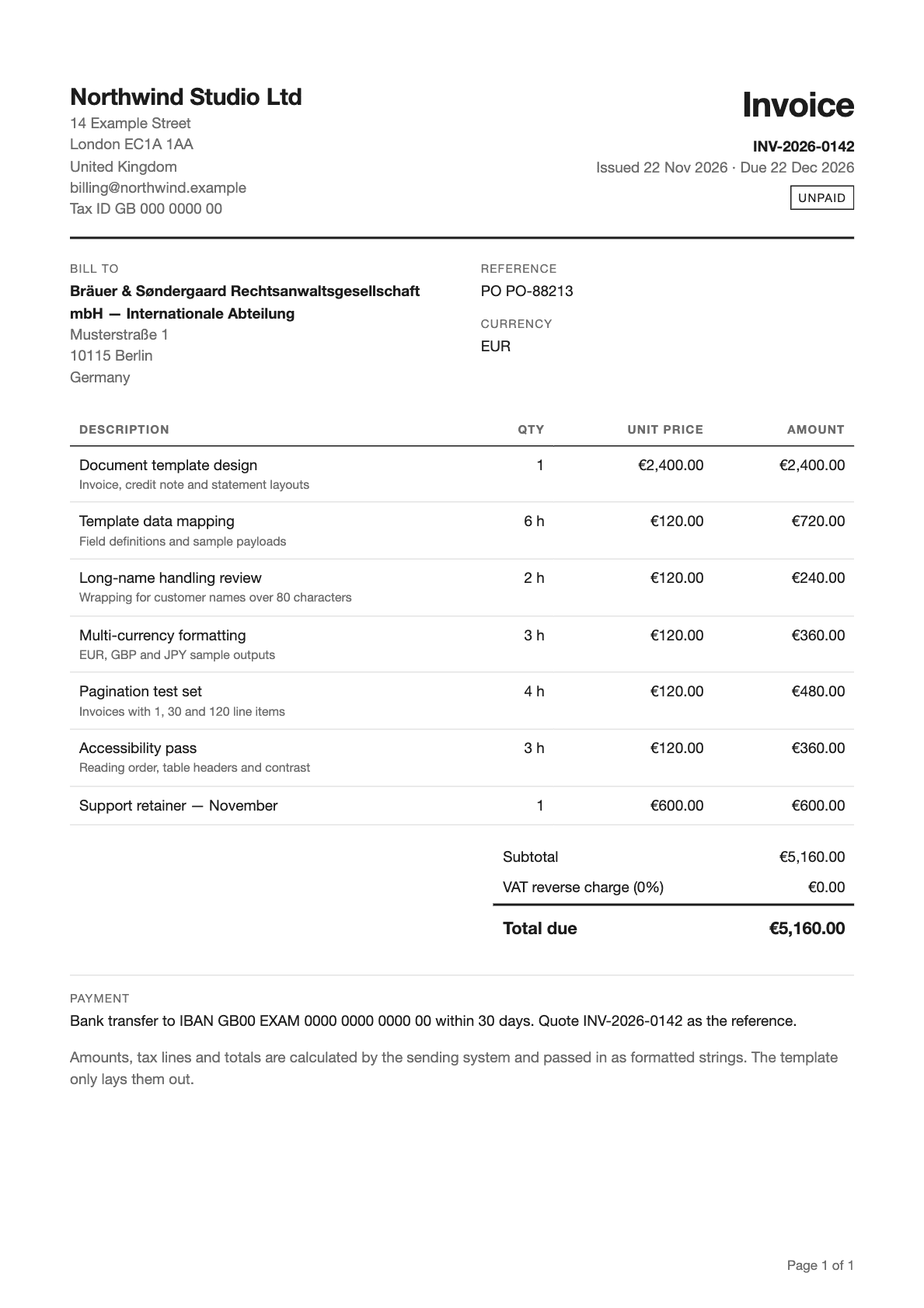
Both requests can produce the invoice above from the same HTML and JSON data: send the markup each time, or save it as a template once and send only the data. Totals and tax are calculated by your system; the layout only places them.
curl -X POST https://api.sublimepdf.com/v1/html-to-pdf \
  -H "Authorization: Bearer $SUBLIMEPDF_API_KEY" \
  -H "Content-Type: application/json" \
  -d "$(jq -n --rawfile html template.html --slurpfile data data.json \
        '{ html: $html, data: $data[0] }')" \
  --output invoice.pdf
// generate.mjs: run with Node.js 18 or later
import { readFile, writeFile } from "node:fs/promises";
const html = await readFile("template.html", "utf8");
const data = JSON.parse(await readFile("data.json", "utf8"));
const res = await fetch("https://api.sublimepdf.com/v1/html-to-pdf", {
method: "POST",
headers: {
Authorization: `Bearer ${process.env.SUBLIMEPDF_API_KEY}`,
"Content-Type": "application/json",
},
// data is optional: it fills {{placeholders}} in the HTML
body: JSON.stringify({ html, data }),
});
if (!res.ok) throw new Error(`SublimePDF ${res.status}: ${await res.text()}`);
await writeFile("invoice.pdf", Buffer.from(await res.arrayBuffer()));import json, os, requests
with open("template.html", encoding="utf-8") as f:
html = f.read()
with open("data.json", encoding="utf-8") as f:
data = json.load(f)
res = requests.post(
"https://api.sublimepdf.com/v1/html-to-pdf",
headers={"Authorization": f"Bearer {os.environ['SUBLIMEPDF_API_KEY']}"},
json={"html": html, "data": data}, # data is optional
timeout=60,
)
res.raise_for_status()
with open("invoice.pdf", "wb") as f:
f.write(res.content)curl -X POST https://api.sublimepdf.com/v1/templates/$SUBLIMEPDF_TEMPLATE_ID/generate \
-H "Authorization: Bearer $SUBLIMEPDF_API_KEY" \
-H "Content-Type: application/json" \
-d "$(jq -n --slurpfile data data.json '{ data: $data[0] }')" \
--output invoice.pdf// generate.mjs: run with Node.js 18 or later
import { readFile, writeFile } from "node:fs/promises";
const templateId = process.env.SUBLIMEPDF_TEMPLATE_ID; // ID of the template saved in the app
const data = JSON.parse(await readFile("data.json", "utf8"));
const res = await fetch(
`https://api.sublimepdf.com/v1/templates/${templateId}/generate`,
{
method: "POST",
headers: {
Authorization: `Bearer ${process.env.SUBLIMEPDF_API_KEY}`,
"Content-Type": "application/json",
},
body: JSON.stringify({ data }),
},
);
if (!res.ok) throw new Error(`SublimePDF ${res.status}: ${await res.text()}`);
await writeFile("invoice.pdf", Buffer.from(await res.arrayBuffer()));import json, os, requests
template_id = os.environ["SUBLIMEPDF_TEMPLATE_ID"] # ID of the template saved in the app
with open("data.json", encoding="utf-8") as f:
data = json.load(f)
res = requests.post(
f"https://api.sublimepdf.com/v1/templates/{template_id}/generate",
headers={"Authorization": f"Bearer {os.environ['SUBLIMEPDF_API_KEY']}"},
json={"data": data},
timeout=60,
)
res.raise_for_status()
with open("invoice.pdf", "wb") as f:
f.write(res.content)Page size, margins, headers, footers and URL rendering are covered in the HTML to PDF API overview and the API reference.
- Placeholders and loops
- In saved templates or HTML sent with data: fields, nested objects, repeated line items and optional sections.
- Print-grade layout
- CSS @page sizes and margins, repeating table headers and page numbers.
- Retry-safe requests
- Send an Idempotency-Key so a retried request does not create a duplicate.
- Plain HTTP
- Bearer-token auth over HTTPS. No SDK required.
Download this exact sample
Sample output rendered from this template and data with headless Chromium.
For AI agents
Give your agent a PDF tool, not a layout job.
Agents are good at gathering facts and writing summaries. Give them one tool that sends HTML, or a saved template ID and data, and returns a PDF, so pages, tables and typography are handled for them.
- Ordinary tool calling
- Describe generate_pdf with JSON Schema. Any framework that supports function calling can use it.
- Key stays server-side
- Your tool executor holds the API key and calls SublimePDF. The model never sees it.
- HTML or a template
- Point the agent at a saved template for a fixed layout, or let it send complete HTML when no template fits.
- MCP if you want it
- Expose the same tool to MCP clients. It is an option, not a requirement.
generate_pdf tool definition
{
  "name": "generate_pdf",
  "description": "Create a PDF with SublimePDF. Pass template_id and data to fill a template saved in the SublimePDF app, or html (a complete HTML document) with optional data. Provide exactly one of template_id or html. Returns a document reference, not the PDF bytes.",
  "parameters": {
    "type": "object",
    "properties": {
      "template_id": { "type": "string", "description": "ID of a saved template. Omit when sending html." },
      "html": { "type": "string", "description": "Complete HTML document. Omit when sending template_id." },
      "data": { "type": "object", "description": "Values for placeholders. Required with template_id." }
    },
    "additionalProperties": false
  }
}
The executor behind this tool calls POST /html-to-pdf or POST /templates/{id}/generate, stores the PDF and returns a short reference to the model instead of raw bytes.
Reusable templates
Start from a working template.
Templates are optional. Save one in the app when you generate the same layout again and again. Each starter ships with its HTML source, sample JSON and the PDF it produces.
Use cases
Documents your systems already know how to describe.
Invoices from billing data
Map orders or subscription events to one invoice layout, sent as HTML or saved as a template, and generate a PDF per invoice with consistent numbering, currency formatting and pagination.
Invoice PDF APIReports written by agents
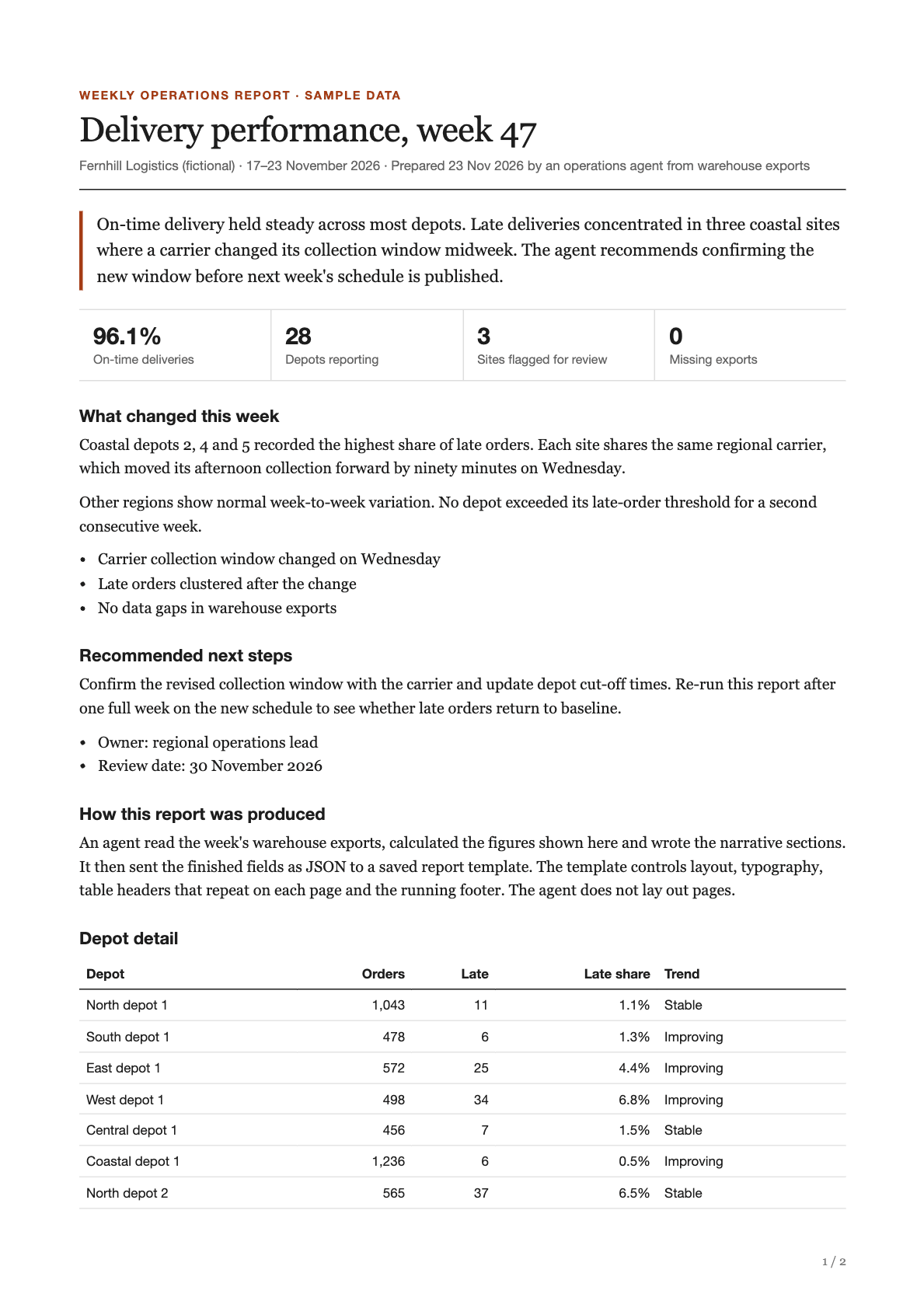
An agent analyses exports or tickets, writes the narrative and figures, and sends them as HTML or as data for your saved report template. People receive a document, not a chat transcript.
Agent report generationDevelopers
Everything you need to ship the integration.
Docs
API reference
Endpoints, render options, limits and error codes.
Docs
Agent quickstart
Register a generate_pdf tool with any function-calling agent.
Guide
Template variables
Bind JSON to placeholders, loops and conditionals.
Guide
Print CSS for PDFs
Page size, margins and clean page breaks.
Tutorial
HTML and JSON to PDF tutorial
From API key to saved file: render HTML, then reuse it as a saved template.
Guide
Error handling and retries
Status codes, backoff and idempotent retries.
Need a quick one-off edit instead? The browser PDF tools merge, split, rotate, sign and fill PDFs in your browser.
Generate your first PDF with one API call.
Create an account, copy an API key and send HTML, or a template ID with JSON data, from your code or your agent.